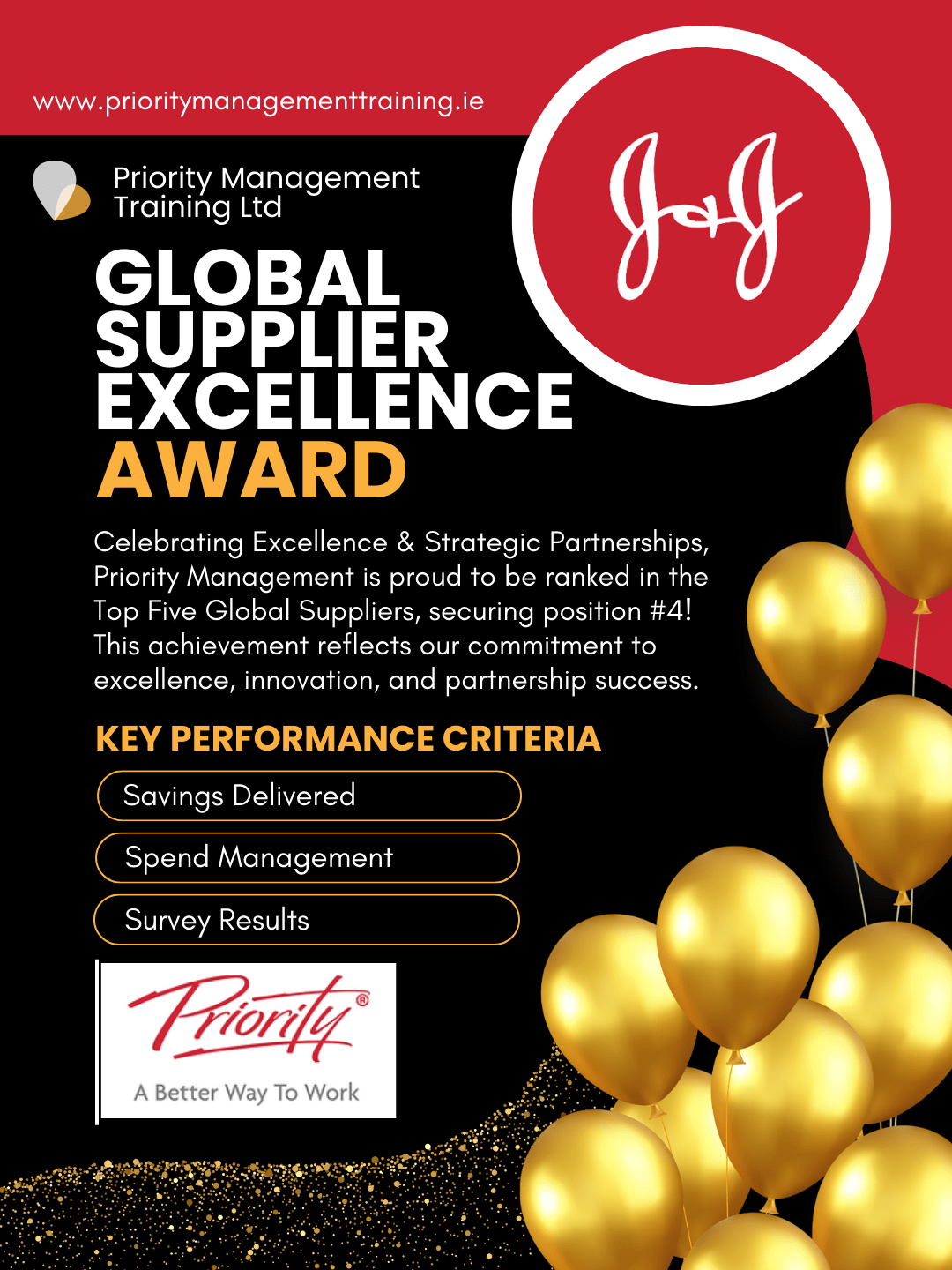

ARE YOU A J&J EMPLOYEE?

Exclusively for J&J Staff — Gain 60 Extra Minutes Daily with Proven Productivity Training That Reduces Stress, Boosts Efficiency & Elevates Team Collaboration


Why Not Check Out Our Latest J&J Case Study?

Blog

Case Studies

Learning Link

Get in touch

  • MM slash DD slash YYYY


Upcoming Public Courses

If you want to sample our courses, you can join the public ones with one or two colleagues from your organisation. These public courses are available to book now.  However, we recommend that the best way to learn is with courses that are tailored for you and your co-workers, because learning in groups is proven to be more effective. For large groups or teams, we recommend that you contact us to arrange a course that suits your needs and availability.

View Public Courses

Join our productivity and motivational e-newsletter!

What our graduates say about our training courses

☆ ☆ ☆ ☆ ☆
Communications & Design Specialist / Canada Life Group

WorkingSm@rt with Microsoft OneNote

Removes unnecessary distractions, allowing for better task prioritisation

☆ ☆ ☆ ☆ ☆
Reliability Engineer / Bristol Myers Squibb Ireland

WorkingSm@rt with Microsoft Outlook

Being organised and on top of your work - being proactive - and not being blind sided by forgotten tasks will always reduce workload stress

☆ ☆ ☆ ☆ ☆
Associate Director, Global Trial Leader / Janssen France

WorkingSm@rt with Microsoft Teams

passionate and very knowledgeable facilitator

☆ ☆ ☆ ☆ ☆
Project Manager / Canada Life Group

WorkingSm@rt with Microsoft Outlook

The WorkingSm@rt with Microsoft Outlook course with Priority Management training was excellent and exceeded my expectations! I thought I was fairly efficient with Outlook but with the pre-work and set up of Outlook (even simple things like turning off notifications that interrupt what you are doing) and focus on tasks it has definitely made me even more efficient then before and I can log off each day knowing that all emails have been actioned/filed/delete/scheduled and my inbox is empty! Keep up the good work and also great that a follow-up coaching one-to-one is included as part of the course to see how the theory then works in practice (great!) and ability to ask questions anytime via email after the course will definitely be beneficial too. Definitely recommend everyone of any experience level attend!

☆ ☆ ☆ ☆ ☆
Engineering Reliability Lead / Bristol Myers Squibb Ireland

WorkingSm@rt with Microsoft Outlook

It will help to prioritise tasks that are most important and ensure that workload is managed effectively.

☆ ☆ ☆ ☆ ☆
Senior Director / Sharp Services

WorkingSm@rt with Microsoft Outlook

Really useful, actionable tools that instantly increase productivity delivered really well by David Foley. Do yourself a favour and make time for this!

☆ ☆ ☆ ☆ ☆
Supply Chain Specialist / MSD Ireland

WorkingSm@rt with Microsoft Outlook

The course will teach you how to take control over your tasks and visualize them, giving you better understanding of your availability to take on more tasks or to evaluate when you might get time to complete a task.

☆ ☆ ☆ ☆ ☆
Senior Manager, Global Medical Affairs / Janssen USA

WorkingSm@rt with Microsoft OneNote

This showed how to effectively use OneNote. By setting up notebooks, pages and how to share those with applicable team members.

☆ ☆ ☆ ☆ ☆
Principal Scientist / Pfizer Ireland

WorkingSm@rt with Microsoft OneNote

This training links information efficiently through the OneNote app

☆ ☆ ☆ ☆ ☆
Communications & Design Specialist / Canada Life Group

WorkingSm@rt with Microsoft OneNote

Reducing number [of] unnecessary meetings and emails

☆ ☆ ☆ ☆ ☆
Clinical Project Scientist / J&J USA

WorkingSm@rt with Microsoft Outlook

Helps me to effectively manage my workload by utilizing an organizational structured approach in outlook. No more long to-do lists

☆ ☆ ☆ ☆ ☆

WorkingSm@rt with Microsoft Outlook

I thoroughly enjoyed the training session but did not focus properly on making the change. As a result I pushed out the coaching session a few times as was a little embarrassed by how little I'd done! However the 30 minute session with David was fantastic. He was so clear and made it all so easy - put me on the right path and beginning to feel the benefits already!

☆ ☆ ☆ ☆ ☆
QA Associate / Janssen Netherlands

WorkingSm@rt with Microsoft OneNote

The interacting between OneNote, Outlook and teams was most useful

☆ ☆ ☆ ☆ ☆
GDI, Global Medical Affairs / Janssen USA

WorkingSm@rt with Microsoft OneNote

Appreciated the practical step by step approach to setting up and using OneNote

☆ ☆ ☆ ☆ ☆
Medical Science Liaison / J&J USA

WorkingSm@rt with Microsoft Outlook

No longer relying on my 10+ to-do lists floating around my desk.

☆ ☆ ☆ ☆ ☆
Senior Project Coordinator / Janssen USA

WorkingSm@rt with Microsoft OneNote

Collaboration on OneNote will eliminate need for emails

☆ ☆ ☆ ☆ ☆
QA Associate / Janssen Netherlands

WorkingSm@rt with Microsoft OneNote

It helps one to be better prepared for meetings and documenting minutes of meetings

☆ ☆ ☆ ☆ ☆
Process Development Scientist / Pfizer Ireland

WorkingSm@rt with Microsoft OneNote

Less time on admin work and more time on the task at hand

☆ ☆ ☆ ☆ ☆
Reliability Engineer / Bristol Myers Squibb Ireland

WorkingSm@rt with Microsoft Outlook

Really effective means of tracking your work and not losing important items through the cracks

☆ ☆ ☆ ☆ ☆
HR Analyst / Canada Life Group

WorkingSm@rt with Microsoft Outlook

It was a great learning experience with Priority in exploring outlook. They actually helped me with tips on how to work smarter with outlook. An individual coaching with David Foley was a really nice initiative as he did a follow up on my understanding and guided me organising my Outlook further. I would highly recommend to enrol with Priority to work smarter.

☆ ☆ ☆ ☆ ☆
Manager, Global Medical Affairs / Janssen USA

WorkingSm@rt with Microsoft Teams

Case examples displaying integrating learnings and ways to work from the first part of this workshops and previous workshops.

☆ ☆ ☆ ☆ ☆
Process Development Scientist (Purification) / Pfizer Ireland

WorkingSm@rt with Microsoft Outlook

Empty inbox is in itself so useful to reduce stress levels.

☆ ☆ ☆ ☆ ☆

WorkingSm@rt Journey

Invaluable training with the Priority Management team - whether it is on the Working Smart with Outlook or One Note, the time these guys will save you in the way you work after their training is Gold … worth every penny. Now the training is online it’s also even better and especially when they do one to one coaching after the course. Thank you Claudia , William and David

☆ ☆ ☆ ☆ ☆
Program Coordinator / Janssen USA

WorkingSm@rt with Microsoft Outlook

An excellent course to improve time management and prioritizing workload.

☆ ☆ ☆ ☆ ☆
Medical Science Liaison / J&J USA

WorkingSm@rt with Microsoft Outlook

Reduce anxiety by providing a structured workflow/system.

☆ ☆ ☆ ☆ ☆

WorkingSm@rt with Microsoft Outlook

Great training and follow up. I learned a lot. Trainers were very engaging!

☆ ☆ ☆ ☆ ☆
Project Manager / Janssen USA

WorkingSm@rt with Microsoft OneNote

There are many functions in OneNote that I never used before, even though I used OneNote a lot. Knowing these new tools will make me use OneNote more effectively.

☆ ☆ ☆ ☆ ☆
Medical Science Liaison / Janssen USA

WorkingSm@rt with Microsoft Outlook

I love the horizontal approach to tasks rather than vertical. Just the visual difference is relaxing.

☆ ☆ ☆ ☆ ☆
Project Manager / Canada Life Group

WorkingSm@rt with Microsoft Outlook

David and William, lead a great programme for getting focused and organized in my working day! Highly recommend

☆ ☆ ☆ ☆ ☆
HR Business Partner / Abbvie Pharmaceuticals

WorkingSm@rt with Microsoft Outlook

Very effective for time management and prioritization.

☆ ☆ ☆ ☆ ☆
Manager, Global Medical Affairs / Janssen USA

WorkingSm@rt with Microsoft OneNote

Helpful in understanding OneNote and how it "meshes" with other Office tools

☆ ☆ ☆ ☆ ☆
Electrical Engineer / RPS

WorkingSm@rt with Microsoft Outlook

This course is really helpful and the tips were really great when using outlook. David and William’s coaching is impressive. I would highly recommend this to everyone.

☆ ☆ ☆ ☆ ☆
Publications Manager / Janssen USA

WorkingSm@rt with Microsoft OneNote

This explained clearly how to use OneNote to work with others

☆ ☆ ☆ ☆ ☆

WorkingSm@rt with Microsoft Outlook

it will give you a different view on how to manage your calendar/e-mails/tasks to reduce our workload anxiety

☆ ☆ ☆ ☆ ☆
Manager, Global Field Corrective Action / Teleflex

WorkingSm@rt with Microsoft Outlook

I learned tips and tricks on how to improve my productivity using outlook as a system rather than just an email browser

☆ ☆ ☆ ☆ ☆
Senior Scientist / Pfizer Ireland

WorkingSm@rt with Microsoft OneNote

Better way to take notes from meetings and tracking actions that come from it

☆ ☆ ☆ ☆ ☆
Portfolio Manager / Canada Life Group

WorkingSm@rt with Microsoft Outlook

Very professional organisation with excellent trainers. They do follow up coaching calls which are always very useful and a great way to embed the training.

☆ ☆ ☆ ☆ ☆
Process Development Scientist / Pfizer Ireland

WorkingSm@rt with Microsoft OneNote

Tools that take away the bottlenecks of project planning

☆ ☆ ☆ ☆ ☆
Manager, Global Medical Affairs / Janssen USA

WorkingSm@rt with Microsoft Teams

Sharing of best practices to improve my ways of working as an individual and increase collaboration with a team utilizing MS Teams

☆ ☆ ☆ ☆ ☆
GDI, Global Medical Affairs / Janssen USA

WorkingSm@rt with Microsoft OneNote

Excellent level set for OneNote functionality for anyone unfamiliar or even frequent users

☆ ☆ ☆ ☆ ☆
Finance Manager / IDA Ireland

WorkingSm@rt with Microsoft Outlook

I don't wake up in a cold sweat in the middle of the night any more - I have everything under control in work.

☆ ☆ ☆ ☆ ☆
Project Manager / Canada Life Group

WorkingSm@rt with Microsoft Outlook

Very useful refresh and re enforcement of the approach.

☆ ☆ ☆ ☆ ☆
Graduate Scientist / RPS

WorkingSm@rt with Microsoft Outlook

Efficient, helpful and insightful way of reorganising outlook from previous bad habits! Would recommend 😊

☆ ☆ ☆ ☆ ☆
Head of People & Culture / Canada Life Group

WorkingSm@rt with Microsoft OneNote

Organised workload = organised mind!

☆ ☆ ☆ ☆ ☆
Team Lead / Pfizer Ireland

WorkingSm@rt with Microsoft OneNote

Extremely handy for project management especially for assigning tasks and interlinking Outlook

☆ ☆ ☆ ☆ ☆
European Head / Canada Life Group

WorkingSm@rt with Microsoft Outlook

Simple steps have changed the way I work day-to day. Less stress instantly!

☆ ☆ ☆ ☆ ☆
Program Coordinator / Janssen USA

WorkingSm@rt with Microsoft Outlook

William does a great job explaining the barriers to productivity which help you understand that efficiency is something that everyone struggles with.

☆ ☆ ☆ ☆ ☆
Team Lead / Pfizer Ireland

WorkingSm@rt with Microsoft OneNote

Less emails & less time looking for things, meaning happier people!!!

☆ ☆ ☆ ☆ ☆
Product Release Analyst / Abbvie Pharmaceuticals

WorkingSm@rt with Microsoft Outlook

It is just amazing what you can do to clear your inbox and the inbox of stress building up in my mind.

☆ ☆ ☆ ☆ ☆
Lab Technician / Pfizer Ireland

WorkingSm@rt with Microsoft Outlook

It helps you to be more organised and keep track of all tasks. By doing this you're not using Lists or your head to remember things and then you're not forgetting things and causing stress on yourself.

☆ ☆ ☆ ☆ ☆
Design Engineer / RPS

WorkingSm@rt with Microsoft Outlook

My experience with the Priority Management has been excellent. The workshop I attended gave me clear idea as to how to utilise the MS Outlook effectively to manage your task, time and deadlines and also a way to connect you MS Notes/Other MS Apps to Outlook. Had a nice experience overall. Thanks

☆ ☆ ☆ ☆ ☆
Managing Director / Grimes

WorkingSm@rt with Microsoft Outlook

Top class communication and brilliant at keeping it simple. Highly recommended. 👍🏻 thanks guys.

☆ ☆ ☆ ☆ ☆
Director / Janssen USA

WorkingSm@rt with Microsoft OneNote

OneNote is a very powerful tool and when properly utilized can offer efficiency benefits.

☆ ☆ ☆ ☆ ☆
Senior Specialist QC / MSD Ireland

WorkingSm@rt with Microsoft Outlook

Relieves the stress of having to remember things, once you have it in your calendar as a task or time scheduled you won't forget about it.

☆ ☆ ☆ ☆ ☆
GMP Specialist / Janssen Biologics

WorkingSm@rt with Microsoft Teams

interactions between all different 365 office apps and how it can benefit control and effective collaboration with colleagues (within and outside of my department).

Other ways to get in touch